
EchoSnack Delay
Quickstart Cheat Sheet
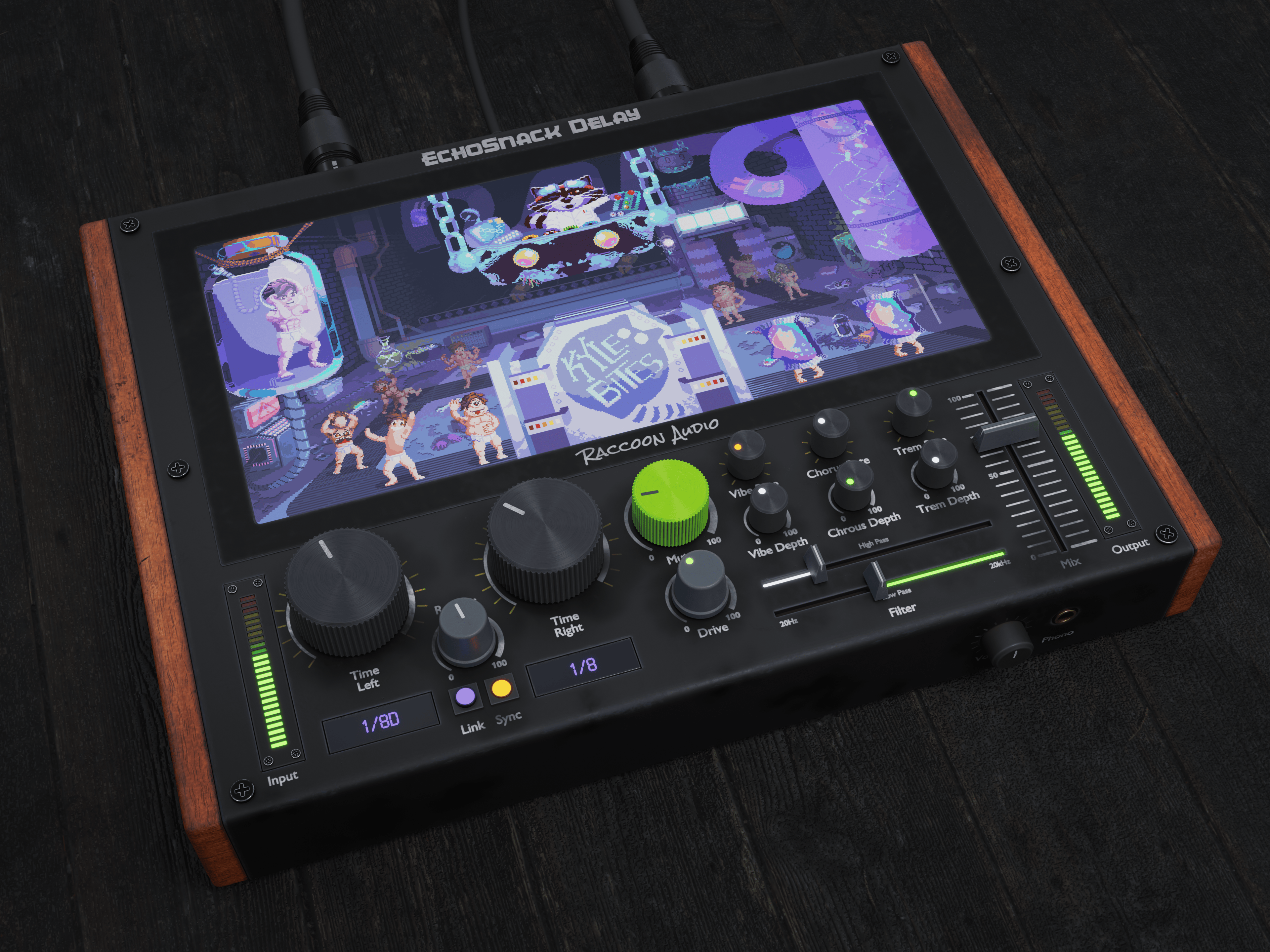
Quick Tips
- Install & Authorize – run the installer, paste in your licence key (3 seats).
- Resize the UI – click the top-left screw for Large → Medium → Small.
- Hide the Cartoon – click the top-right screw if you need to focus on the dials.
TIME
Dial delay lengths in ms or note value. Click Sync to lock to your DAW’s BPM.
REPEATS
Controls the number of repeats. Above 80 % may go into runaway feedback.
MUTATE
Amount of random modulation applied to parameters with a green LED (Mutate mode).
Now go make your delays misbehave. If Kyle can survive the cloning lab, your mixes will be fine. 🦝
Knob Modes
Double-click any knob with a round LED to cycle its behaviour:
- White LED – Static – stays exactly where you put it.
- Green LED – Mutate – value wanders, steered by the big green Mutate knob.
- Orange LED – Sync – locks to your DAW’s tempo (Mod-Rate knobs only).
Handy Tricks & Fixes
- Runaway feedback? Drop Repeats below 75 % or tighten the filters.
- CPU spike? Click the top-right screw to hide the animation.
- Want chorus only? Set Repeats to 0 %, Time near 0 ms, raise chorus depth and dial the rate.
- Pitch drift too wild? Turn Mutate down or set key knobs back to white LEDs.
- Ambient pads: Sync Time to dotted ½ notes, Repeats around 85 %, let filters drift slowly.
Shortcuts & Gestures
- Alt/Option-click a control – reset to default.
- Scroll-wheel (or Ctrl-drag on Windows) – fine adjustments.
- Double-click value pop-ups – type in exact numbers.
Need Help or Want to Show Off?
- Discord: discord.gg/w9fkx3HHBC
- Instagram: @raccoon.audio
- Email: support@raccoonaudio.com
Prefer a Printable Version?
Grab the full cheat sheet as a PDF and keep it next to your DAW.